Integrating Grok Imagine Into a Social Content Pipeline
> A production pipeline that drafts prompts on cheaper models, renders on Grok for 17 second turnarounds, and fans out per platform aspect ratios.
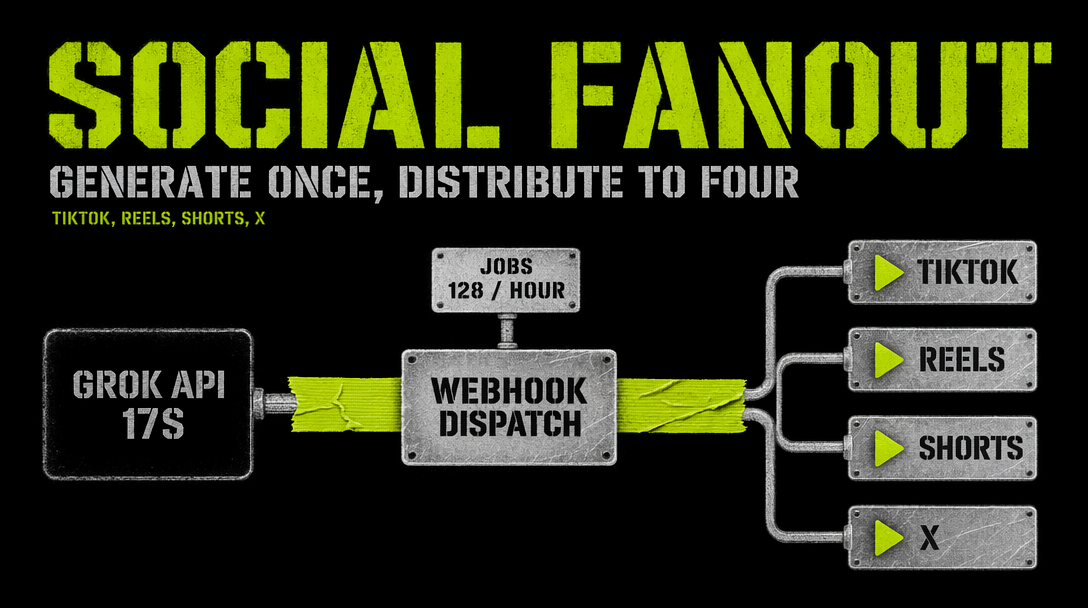
You have a social calendar that wants a vertical clip for TikTok, a square for Instagram feed, and a widescreen for YouTube. Every day. That is three aspect ratios and usually three prompts that share a concept but diverge in framing. If you render each one on a slow model, you lose the day. If you render on Grok Imagine v1.0, each clip comes back in roughly 17 seconds at 720p, and you can run three in parallel without spending serious money.
Stage one: draft prompts on a cheap text model
Do not ask your video model to be your copywriter. A cheap instruction tuned text model can turn a single content brief into three platform specific prompts in under a second for fractions of a cent. Your video budget stays focused on rendering.
A brief like *a barista pulling a shot of espresso at golden hour, handheld, warm tones* becomes three prompts with different framing hints: *tall vertical, barista hands in frame center, steam filling top third* for 9:16, *subject dead center, symmetrical composition* for 1:1, *wide shot showing bar and back wall, barista left of frame* for 16:9.
That planning step is cheap and it is the difference between three clips that feel native to each platform and three clips that are the same clip letterboxed three ways.
Stage two: queue three Grok renders in parallel
The @fal-ai/client queue API lets you submit all three jobs, poll, and collect results without blocking the whole process.
1import { fal } from '@fal-ai/client';23fal.config({ credentials: process.env.FAL_KEY });45type Cut = {6 platform: 'tiktok' | 'ig_feed' | 'yt';7 prompt: string;8 aspect_ratio: '9:16' | '1:1' | '16:9';9};1011async function renderOne(cut: Cut) {12 const submitted = await fal.queue.submit('xai/grok-imagine-video/text-to-video', {13 input: {14 prompt: cut.prompt,15 resolution: '720p',16 duration: 6,17 aspect_ratio: cut.aspect_ratio,18 },19 });2021 let status = await fal.queue.status('xai/grok-imagine-video/text-to-video', {22 requestId: submitted.request_id,23 });2425 while (status.status !== 'COMPLETED') {26 await new Promise((r) => setTimeout(r, 2000));27 status = await fal.queue.status('xai/grok-imagine-video/text-to-video', {28 requestId: submitted.request_id,29 });30 }3132 const result = await fal.queue.result('xai/grok-imagine-video/text-to-video', {33 requestId: submitted.request_id,34 });3536 return { platform: cut.platform, url: result.data.video.url };37}3839export async function renderSet(cuts: Cut[]) {40 return Promise.all(cuts.map(renderOne));41}
Three parallel calls land in roughly the same 17 to 25 seconds that one call would take, because the queue runs jobs concurrently up to your account limit. At 6 seconds per clip, three clips, $0.07 per second, the render cost for a daily drop is about $1.26.
Stage three: post-process per platform
Grok returns 720p MP4 URLs. You will want to touch each file before upload.
- TikTok 9:16. Most upload tools want 1080p for crispest compression, so run a 720p to 1080p upscale pass if quality matters. Burn in captions with your own ffmpeg step since text in frame is still unreliable from the model.
- Instagram feed 1:1. Trim to 3 to 5 seconds and loop. The platform favors short looping content, and Grok clips are already short, so this is a crop and repeat rather than a regeneration.
- YouTube 16:9. Keep the 16:9 clip for the long form channel and cut a 9:16 version from the same source by panning the frame during export.
Stage four: schedule and log
Push the three output URLs to your scheduler of choice. Buffer, Later, Metricool, or a homegrown cron script all work the same way: hand them a file URL and a caption, and they post on the slot you picked.
Log three things per run: the render request IDs, the final URLs, and the total cost. That log is how you know which days drove engagement and which prompts are worth reusing.
The pipeline is the product. Grok is just the fastest engine you can hang on the front of it.